
A team wiki with a memory for every edit.
Codex keeps your team's documents in spaces, written in Markdown with a live preview. Every save is a version you can compare with the last and restore, after one confirmation.

A runbook step changed and nobody remembers what it said before.
Codex keeps a saved version for every edit, shows what changed against the version before it, and puts any version back as a new one, so a save never overwrites anything.
Read the film’s text version
Title: Codex. A team wiki with a memory for every edit. 2026. A bright, energized electronic score runs under the whole film, with a soft tick or hit on each action.
The step: “Step 4 changed.” Five numbered steps of the SoulCore 4 deployment runbook arrive a beat apart, the fourth marked with a question mark and its “2 hours” of smoke tests in gold. Then, “What did it say before?”
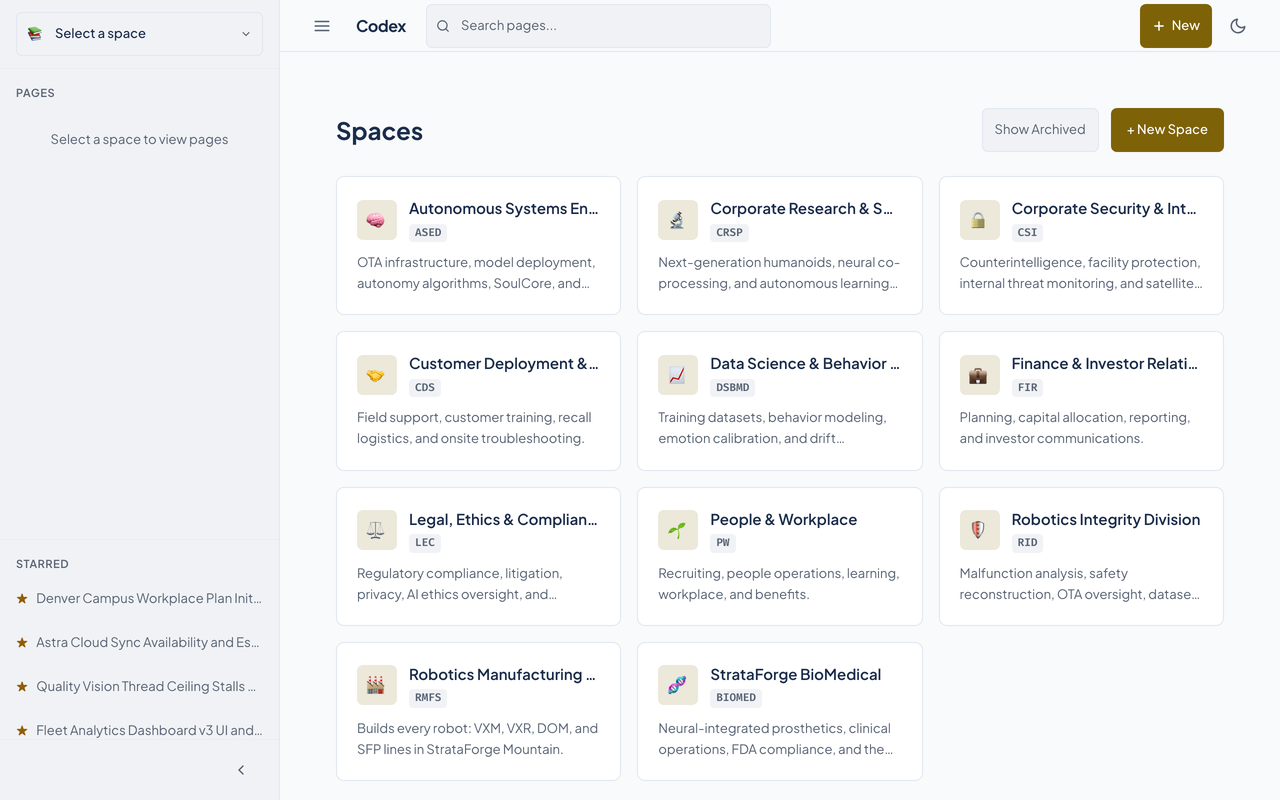
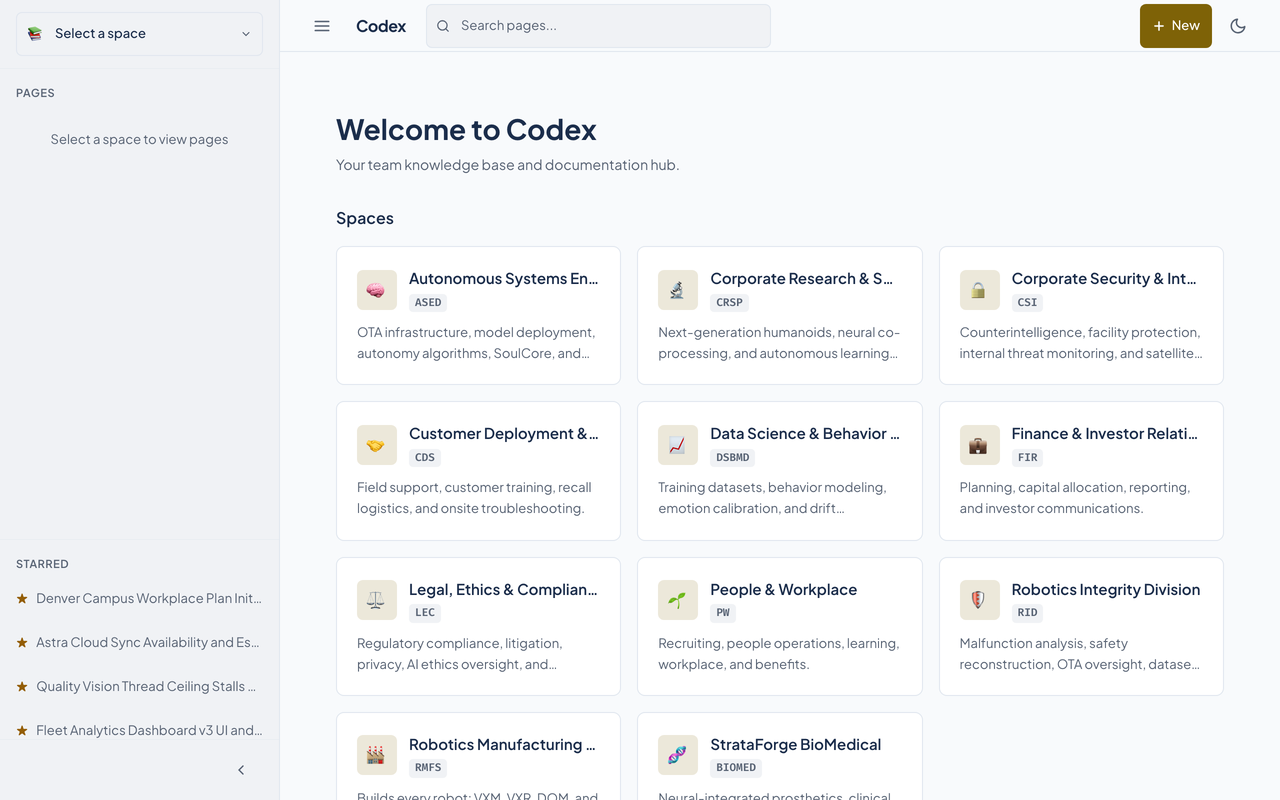
Spaces: “Pages live in spaces.” Four hundred ninety-nine marks pour into eleven lanes, one for each space, each lane’s count climbing until the line reads “499 pages in 11 spaces.” Then, “Folders down the left.”: Codex’s sidebar under the name Robotics Integrity Division, with Postmortems and Runbooks opened and ringed in turn.
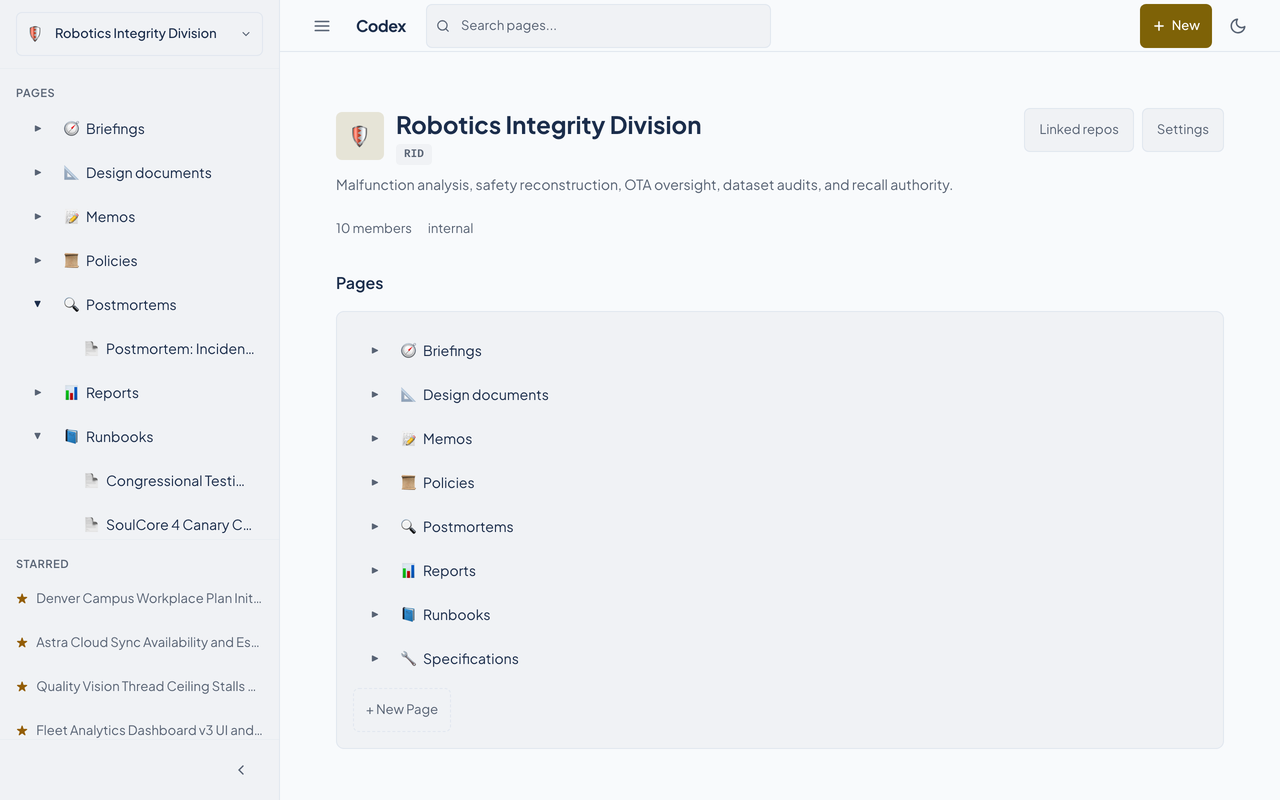
Write: “Write on the left. Read on the right.” The real editor shows the Markdown beside the finished page, with step 4’s “2 hours” ringed on both sides. The typing lands as “30 minutes”, the header reads Unsaved changes, and after Save it reads Saved.
Every save: As the beat drops: “Every save is a version.” Six chips arrive a beat apart, oldest first, each ringing its row in Codex’s history list: five with the summary they were saved with, from “Initial version” to “Add the Escalation section”, and a sixth with none, the one the edit just made. Then, “A save never overwrites.” and a count that reaches 6 versions.
The diff: “See what changed.” Version 6 is selected and its diff comes up: the line with “2 hours” in red and the line with “30 minutes” in green, both ringed, with a legend, “− removed” and “+ added”. “Against the version before it.”
Restore: As the beat drops again: “Found the good one? Restore it.” Codex’s own dialog asks “Restore version 5?” and says “Nothing is lost; the current text stays in the history.” Restore is ringed. The history returns with Version 7 on top, “Restored to version 5”, and the camera goes to its diff: “30 minutes” out in red, “2 hours” back in green. “Restore is a save.”
Nothing lost: Seven version tiles stand in a row, one through six already there and the seventh new, “Restore deletes nothing.” Then, “A save never overwrites anything.”
A git repository: “Link a git repo.” Codex’s Linked repos page, “One-way sync Markdown from external git repositories into this space.”, is ringed. Below it is a drawing, labeled an illustration with example file names: a git repository, over SSH with a key, into Codex, then two page cards with a lock and a “synchronized” badge, and “can’t be edited here.” “As read-only pages.” Nothing shown ran a sync.
The end: “Edit. Compare. Restore.” Then the Codex mark, the name, “A team wiki with a memory for every edit.”, and the site’s address, on the final chord.
A wiki that keeps every version of every page.
Codex is a FastAPI service on PostgreSQL with a React web client and an MCP server for agents. These are the jobs the web client does today.
Spaces, a page tree, and who can do what
Spaces
A space is a top-level home for a team or a subject, with a short key such as RID, a name, a description, an icon, and a visibility of private, internal, or public. The Spaces page has a Create Space form.
A page tree
Pages nest under other pages, and the sidebar shows the tree with folders you expand and collapse. Breadcrumbs show where a page sits, and pinned pages carry a pin.
- Members and roles
- A space's settings page lists its members with a role each (admin, editor, commenter, or viewer), and lets an admin add a member, change a role, or remove someone.
- Status on every page
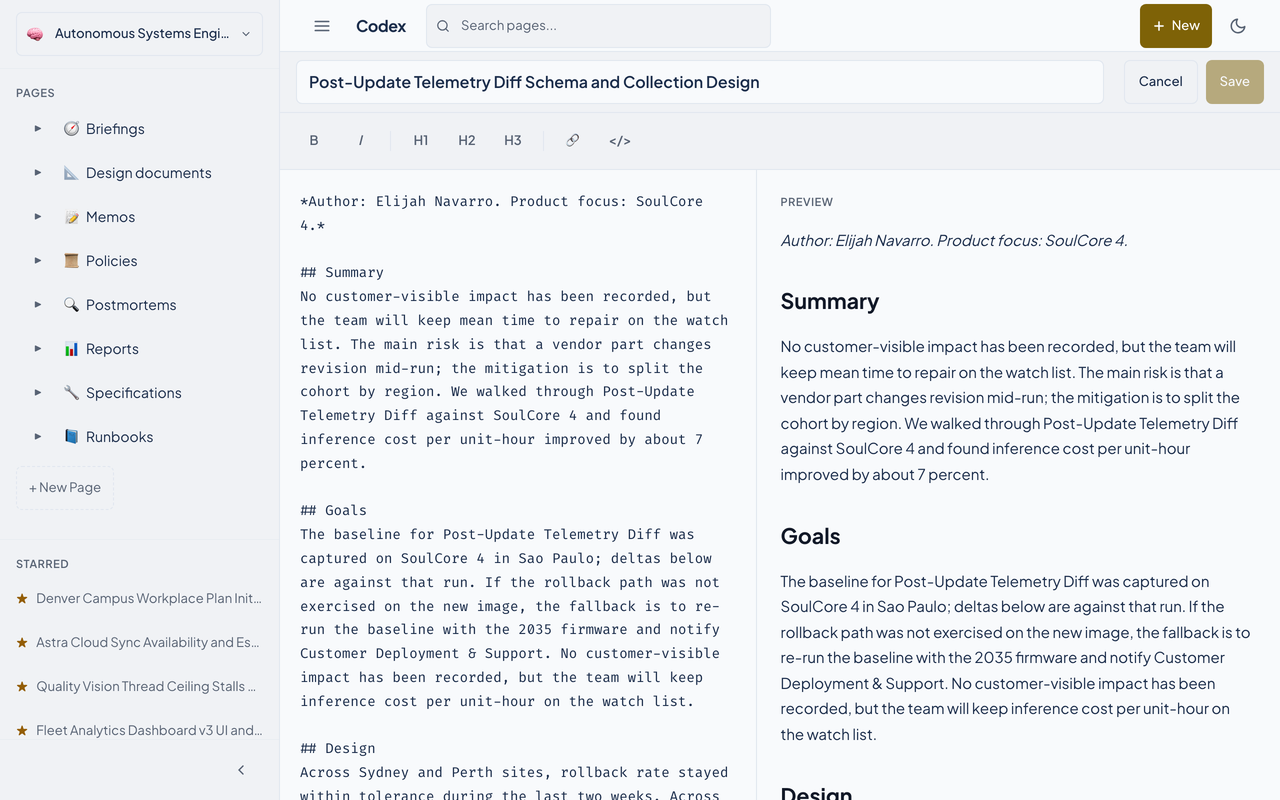
- A page is a draft, published, or archived, and a badge on the page says which. A page mirrored from a git repository says synchronized instead.
Markdown, with the preview beside it
A Markdown editor
A title field, a toolbar that inserts Markdown around your selection, the source on the left and the rendered page on the right. It says Unsaved changes until you save, then Saved.
- Diagrams in the page
- A fenced mermaid block renders as a diagram in the page and in the preview. Pages are sanitized before they are shown.
Word count and reading time
Every page shows its word count, an estimated reading time, its version number, and when it was last edited.
- Light and dark
- A theme toggle in the top bar switches the whole client between light and dark.
Nothing you saved is lost
A version for every save
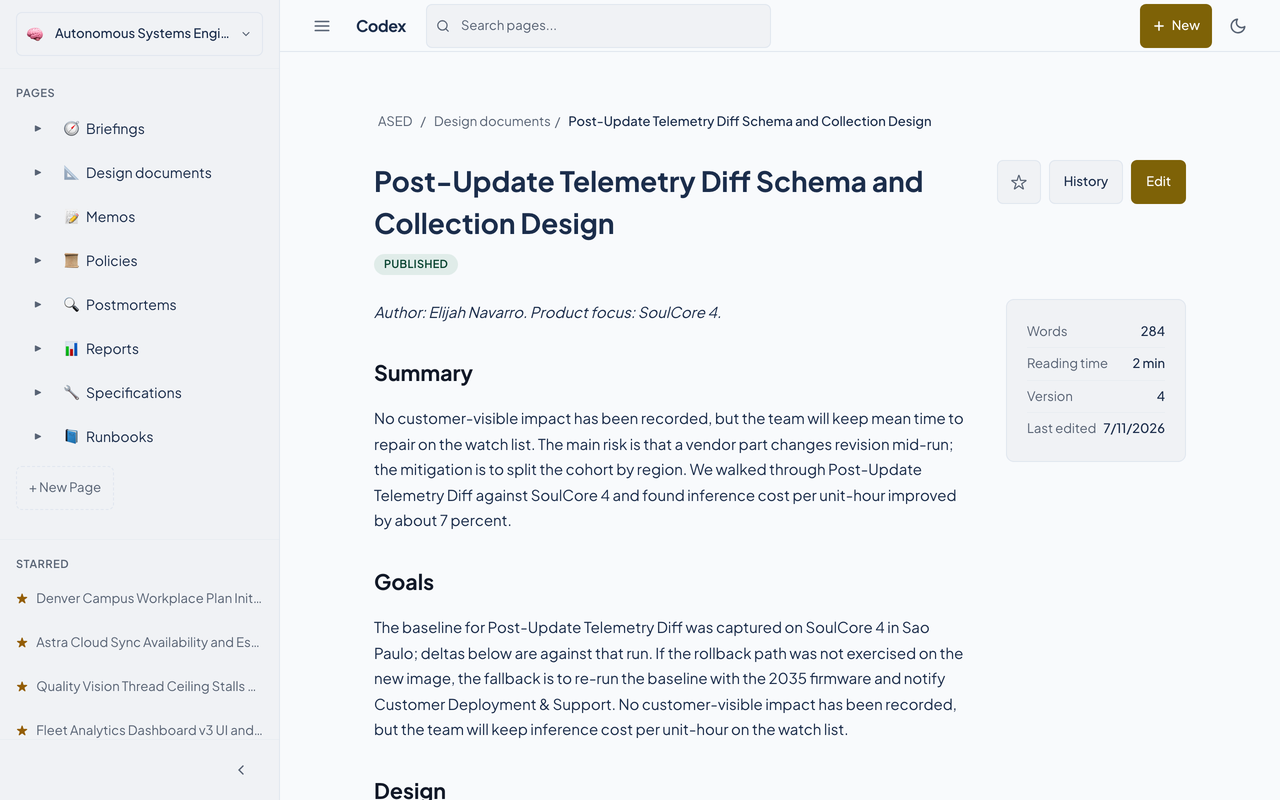
Each save keeps a snapshot of the title and body with an optional change summary, so the history page lists every version of the page.
- Compare with the one before
- Pick a version and Codex shows a diff against the version before it: what was added, what was removed, and a little context around each change.
- Restore
- Restore any earlier version. It becomes a new save with a summary that says which version it came from, so the history stays whole.
- Mirror a git repository
- A space can be linked to a git repository over SSH. Codex clones it, mirrors the Markdown files as read-only pages, and rewrites relative links between them. Editing a mirrored page sends you back to the repository.
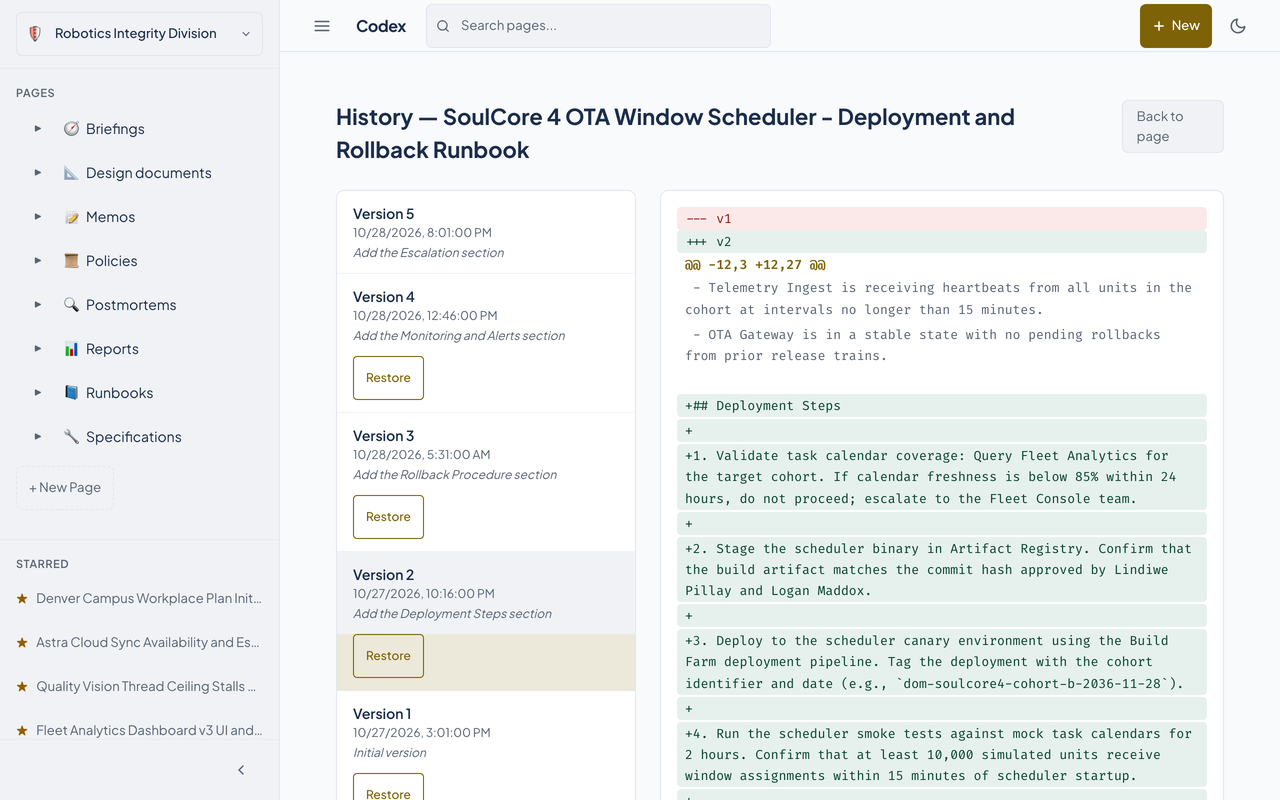
The pointer selects Version 4 and then Version 3, and each shows a diff against the version before it, added lines in green. Restore on Version 3 opens a confirmation, and accepting it saves Version 3's text as a new Version 6, "Restored to version 3", on top of the list above Version 5, with a "Restored" notice.
See it in light and dark
Real captures of the running tool, with fictional StrataForge Robotics data. They follow your theme.
From an idea to a page you can trust
Make a space
Give it a key, a name, and a visibility, and add the people who work in it.
Write pages
Add pages under folders and write them in Markdown with the preview beside you.
Save as you go
Every save is a version. The web editor saves without a summary; a change summary can come through the API.
Compare and restore
Open the history, read the diff, and restore the version you want.
Built so everyone can use Codex.
Codex's web client has a skip link, labeled form controls, a labeled Markdown editor, and a light and dark theme, and no page overflows sideways at 375 pixels. An axe-core run over every captured view still found violations in all of them, mostly color contrast, and we list them below instead of hiding them. We do not claim a WCAG level.
Partly supported
Keyboard operation
The client has a skip link to the main content, native buttons, links, and form controls, and the update dialog closes on Escape. No keyboard-only walkthrough of any flow has been recorded, and the history page nests a Restore button inside another button, which axe flags.
Partly supported
Screen reader landmarks and labels
Search, the editor, the page title field, the star button, the sidebar toggle, and the member form carry accessible names, and one axe test passes on the root screen. The harness run found missing landmarks and headings on some views, and nothing has been tested with a screen reader.
Partly supported
Contrast in light and dark
Axe still flags color-contrast, a serious violation, on 145 elements across all 14 desktop runs, mostly muted text and accent-colored labels on tinted backgrounds.
Partly supported
Reduced motion
A prefers-reduced-motion rule covers the update dialog's animation. No other motion in the client has a rule, and no test exercises reduced motion.
Not yet tested
Text resize and zoom
Resizing text to 200 percent has not been tested.
Partly supported
Mobile and touch
Seven views fit a 375 by 667 phone screen with no sideways scrolling in both themes. The same run found color-contrast and two scrollable regions that a keyboard cannot focus, and tap-target size was not measured.
Under the hood
| Backend |
|
|---|---|
| Frontend |
|
| Content |
|
| Agents |
|
| Testing |
|
| Stands in for | Confluence, Notion |
Part of the Renkara fleet
- Narrative
An MCP tool publishes a page to a Narrative site, when the deployment sets Narrative's URL and a token.
- Docket
MCP tools link a page to a Docket card and search cards, when Docket is configured.
- Herald
An MCP tool sends a page as a Herald newsletter, when Herald is configured.
- Beacon
MCP tools score a page for search optimization and draft its meta tags, when Beacon is configured.
Built for agents as well as people
Codex's MCP server registers 110 tools, grouped below as they are in the code. The count comes from the code; we have not exercised every tool.
Spaces and members
list_spacescreate_spaceget_spaceupdate_spacedelete_spacearchive_spaceunarchive_spaceget_space_treelist_space_membersadd_space_memberupdate_space_memberremove_space_memberexport_space
Pages and versions
list_pagescreate_pageget_pageupdate_pagedelete_pagepublish_pageunpublish_pagemove_pagereorder_pageduplicate_pagecreate_page_from_templatelist_page_versionsget_page_versionrestore_page_versiondiff_page_versionslist_children
Activity
get_page_activityget_space_activityget_global_activityget_page_activity_mcp
Search
search_pagessearch_suggest
Comments
list_commentscreate_commentupdate_commentdelete_commentresolve_commentunresolve_comment
Labels
list_labelscreate_labelupdate_labeldelete_labeladd_label_to_pageremove_label_from_page
Templates
list_templatescreate_templateget_templateupdate_templatedelete_template
Attachments
list_attachmentsupload_attachmentdelete_attachment
Stars
list_starsstar_itemunstar_item
Share links
list_share_linkscreate_share_linkrevoke_share_link
Webhooks
list_webhookscreate_webhookupdate_webhookdelete_webhook
Export and import
export_pageimport_content
Linked repositories
list_ssh_keysadd_ssh_keydelete_ssh_keylist_linked_reposcreate_linked_repoupdate_linked_repodelete_linked_repolink_repos_bulksync_linked_repoget_linked_repo_status
Ask Codex and embeddings
semantic_searchreindex_embeddingsask_codexlist_ask_sessionsget_ask_sessioncontinue_ask_session
Other fleet tools
narrative_publish_pagenarrative_unpublish_pagenarrative_get_linksnarrative_list_sitesnarrative_trigger_builddocket_create_linkdocket_get_linksdocket_get_backlinksdocket_search_cardsherald_send_pageherald_list_newslettersherald_preview_emailbeacon_seo_scorebeacon_generate_metabeacon_keyword_researchpulse_get_page_analyticspulse_get_site_statspulse_get_realtimemeridian_log_timemeridian_list_projectstribe_get_contacttribe_search_contactscadence_create_eventcadence_list_eventsvigil_check_status
Service
check_service_healthget_diagnostics
Questions people ask
Is Codex a hosted product I can sign up for?
No. This site describes what the tool does today. Write to fleet@renkara.com if you want to talk about it.
What does Codex do?
The web client creates spaces and pages, edits them in Markdown, keeps a version for every save, shows the diff between versions, and restores one.
Who are the people and documents in the screenshots?
They are fictional. The pages come from StrataForge Robotics, a made-up company, in one space for each of its divisions.
Is there a mobile app?
No. The web client fits a phone screen without sideways scrolling, but there is no native app.
Questions about this tool?
Write to Renkara Media Group and a person will answer.